Trade-in pricing
Give every trade offer a clear starting point.
Find the product, choose its condition and subquality, and review the numbers in Fulcrum’s trade window. Bring pricing research, available history and your store’s offer rules into the conversation, then let staff make the final buying decision.
Keep the product and the offer together.
Search, review and build the trade.
Quickly search the large product catalog by name or barcode, then review the product and condition before adding it to the trade. Keep the proposed selling price, cash offer and store-credit offer in view.
Use a compatible barcode scanner or search by name when a code needs a closer look. Product matches and pricing references depend on the item and available data.
Record more than loose or complete.
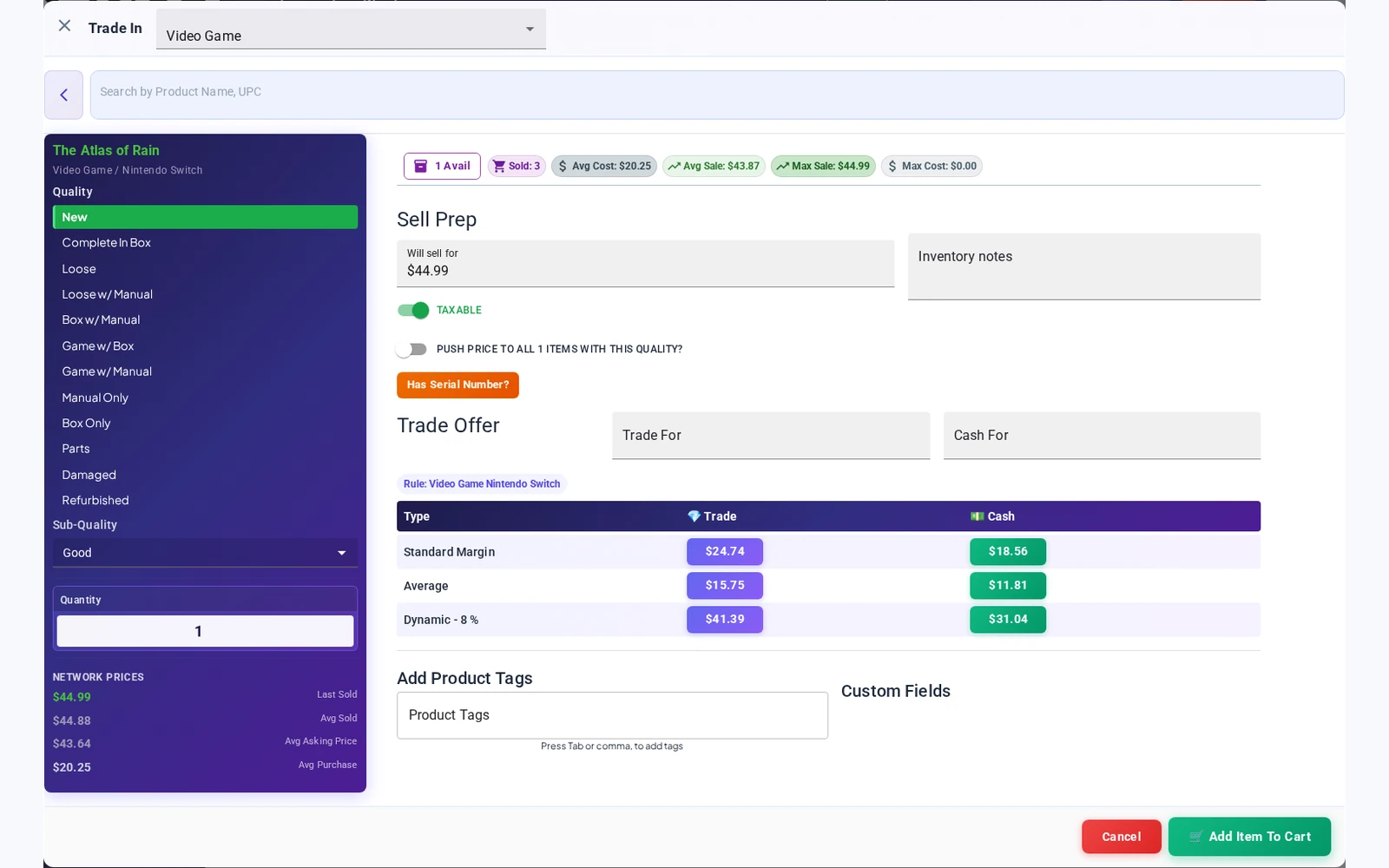
Choose the main condition, such as Loose or Complete In Box, then add a subquality to describe the item more closely. Standard options include Near Mint, Excellent, Good and Fair; card products have their own options, including Lightly Played and Moderately Played.
The selected subquality stays with the trade item and is saved on the stock record when the trade is finalized. If items need different condition descriptions, enter them as separate lines so each line keeps the right detail.
Subquality records staff’s assessment. It is not a certification or a promise that a price changes automatically for every subquality.
Use the context your store already has.
Previous stock and sales
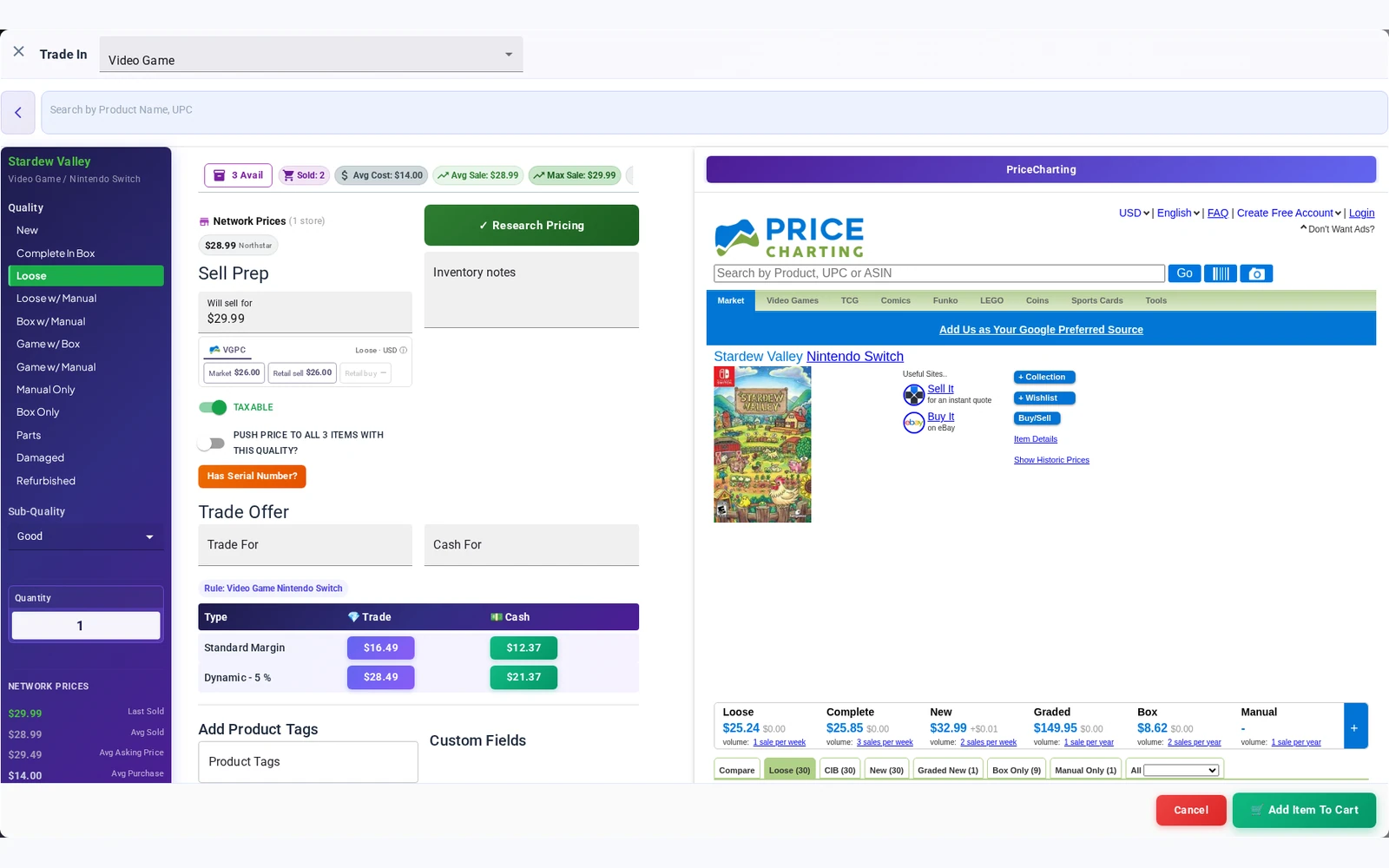
When a condition is selected, Fulcrum can start from the store’s most recent stock selling price, then its last recorded sale, with an available PriceCharting reference as a further fallback. Review the starting price before making an offer.
Your other locations
Review available prices for the same product and condition at other stores in your organization. Give staff more context when an item is uncommon at the current location.
Pricing research
Use the trade window’s pricing research tools and available references alongside your own experience. Historical prices and reference data help inform an offer; they do not guarantee a current market value.
Research without losing the trade.
Open a pricing reference beside the trade window while keeping your store’s available stock, past sales, another location’s price and calculated offers in view. Your team can review the item and decide what to pay.
Reference coverage and prices vary by product and source. Ask us to demonstrate the products your store handles.
Set trade percentages around how you buy.
Dynamic guidance for cash and credit.
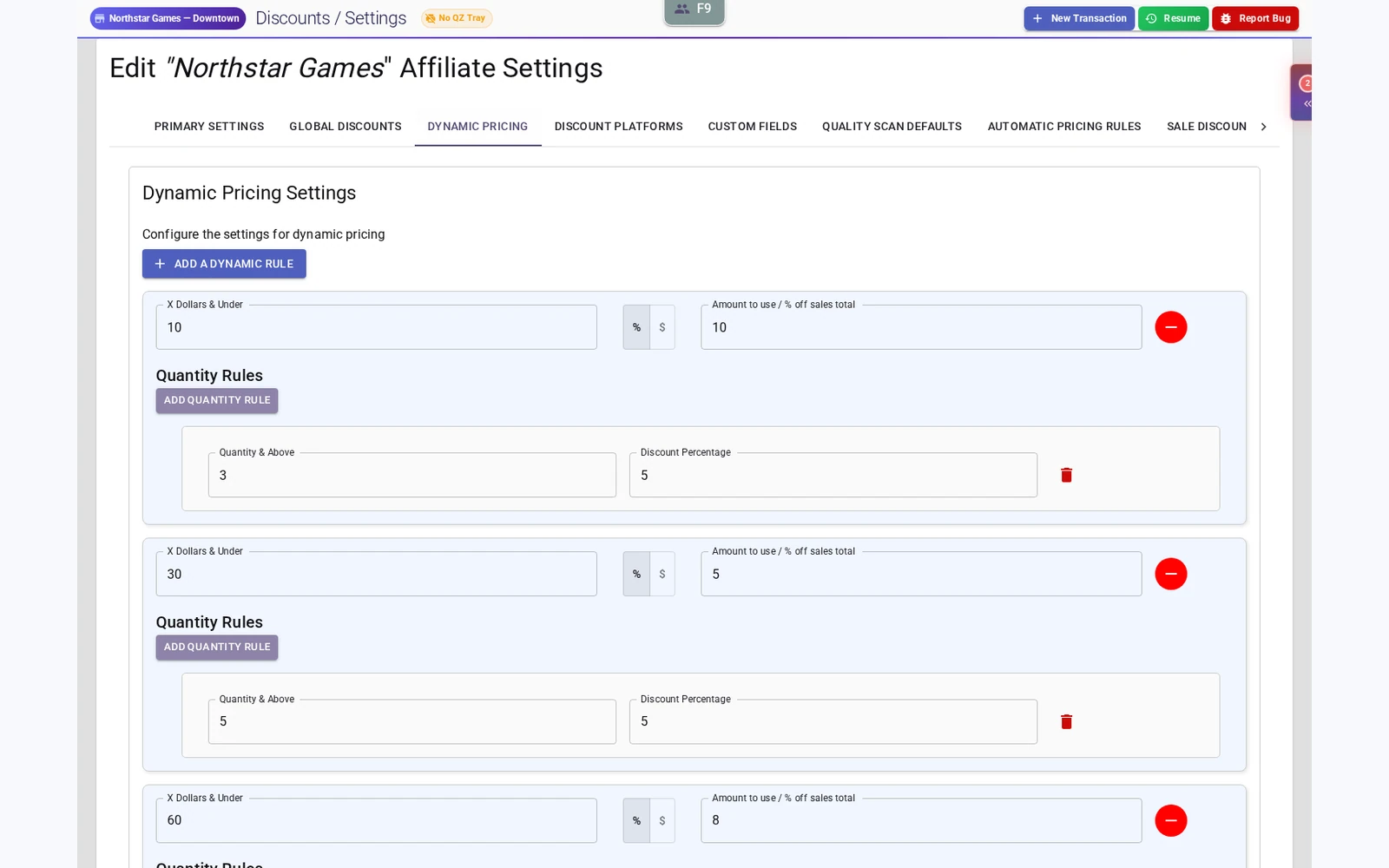
Configure price-threshold rules and stock-level tiers to guide the trade offer. Set a global trade-offer percentage and cash adjustment, with product-type and category overrides for your standard offer rules.
Review separate cash and store-credit values in the trade window and choose the offer to apply. Stock-level tiers refer to existing stock, rather than the number of items a customer is purchasing.
Walk a collection through the counter.
- Find the item. Search by name or scan a supported barcode, and confirm the product.
- Choose the condition and subquality. Distinguish a loose copy from a complete or new one, then record a more detailed assessment before reviewing price.
- Review the context. Check available stock and sales history, pricing references and prices at your other locations.
- Choose the offer. Review the configured calculation and cash or store-credit amount with the customer.
- Continue the visit. Add the trade to the transaction and apply any required stock hold before finalization.
Trade-pricing questions
Are dynamic trade percentages the same as a sale discount?
No. Trade percentages help calculate what your store offers for an incoming item. Scheduled in-store sales apply discounts to matching stock during a selected date range.
Does the cash adjustment discount a shopper’s purchase?
No. In this workflow it adjusts the cash trade payout relative to the store-credit offer.
Does Fulcrum automatically choose the final buying price?
The trade window provides calculations and reference information. Staff review the item, condition and offer, then choose the values to apply.
Are research prices guaranteed to be live?
No. Reference coverage and freshness vary. Use them alongside your store’s records and staff judgment, and check the specific products you handle during a demo.
Bring a real trade scenario to your demo.
Show us the conditions, cash and credit offers, and stock levels your team works with. We’ll walk through the relevant controls and calculations. Free migration help is available; Shopify and Square Terminal integration are included with Fulcrum.
Explore customer credit and loyalty, Shopify integration and repair management. Review what’s included and plan your free migration.