FULCRUM · Core features
Built for everything that crosses your game-store counter.
A sale can start with a trade. A repair needs follow-through. A preorder brings a regular back. Explore the Fulcrum workflows that connect those moments with your inventory and online store.
Start with the work your team does most.
At the register
Counter sales and mixed transactions
Scan product barcodes and handle buying, selling and exchanging in a transaction workflow built for specialty stores. Review payment options, apply store credit and keep the customer visit together.
Explore transaction flow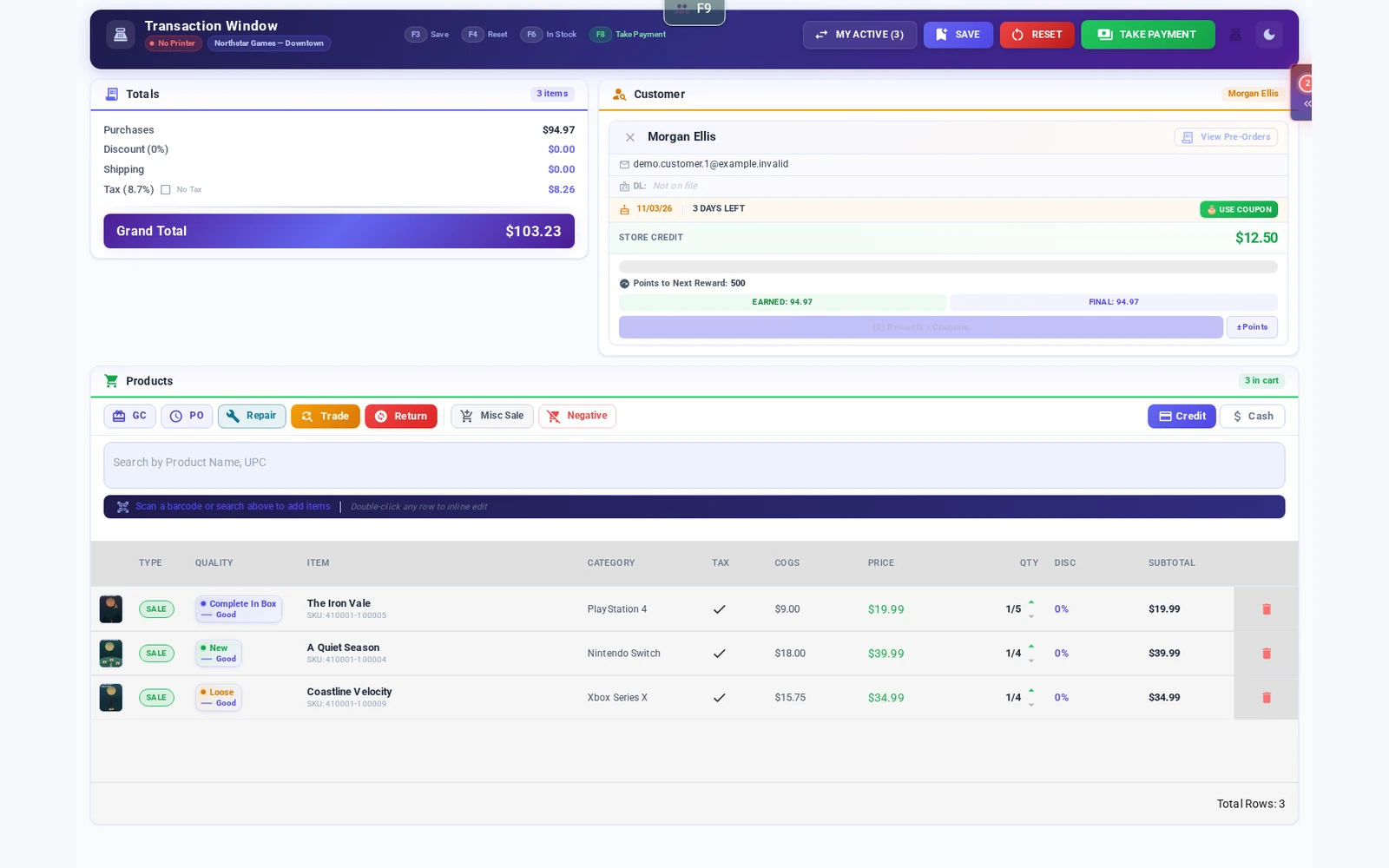
At the trade counter
Condition-aware trade-ins
Review products and condition as you build a trade offer. Use pricing research and configurable trade rules to support consistent decisions, with staff reviewing what the store agrees to pay.
Explore the trade window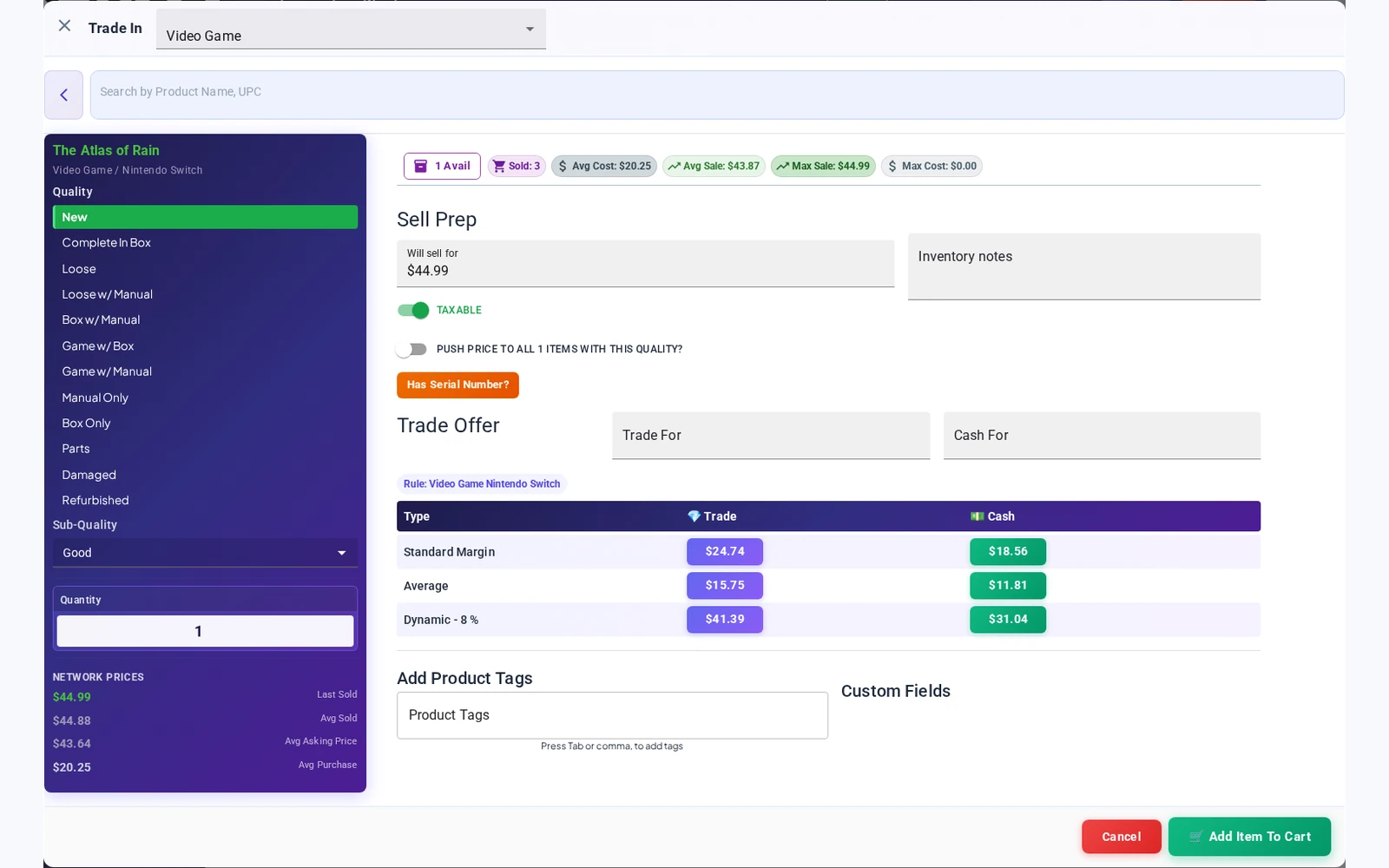
At the trade counter
Trade-in pricing: your percentages, your decision
Configure price-threshold and stock-level rules to guide trade offers. Review separate cash and store-credit values, alongside available pricing history and prices at your other locations. Staff choose the offer to apply.
Explore trade-in pricing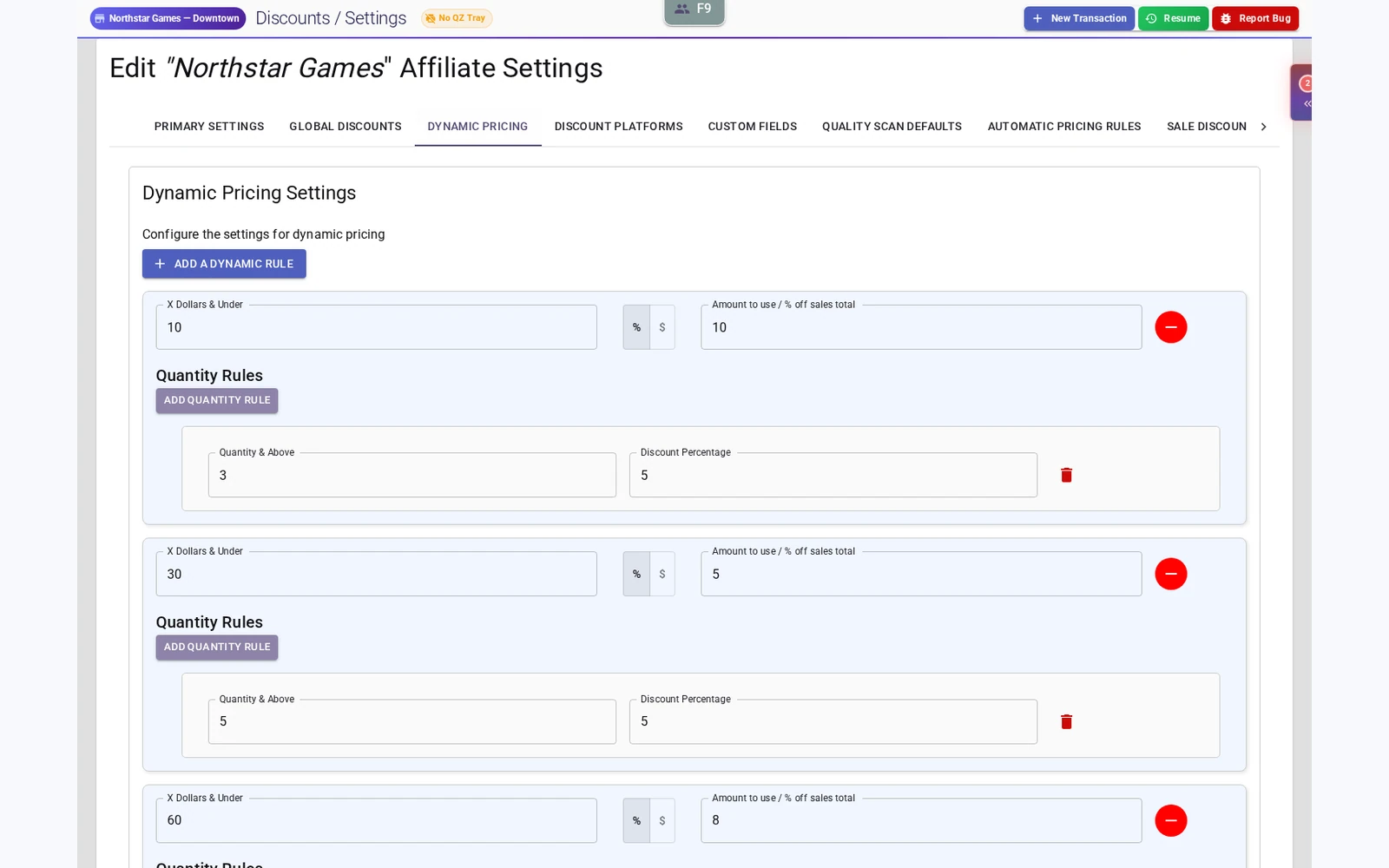
On the shelves
A large product catalog and inventory tools
Start with a large product catalog, then manage item records, condition, quantities, prices and locations. Work with multiple items when updating prices or moving stock between stores.
Explore catalog and inventory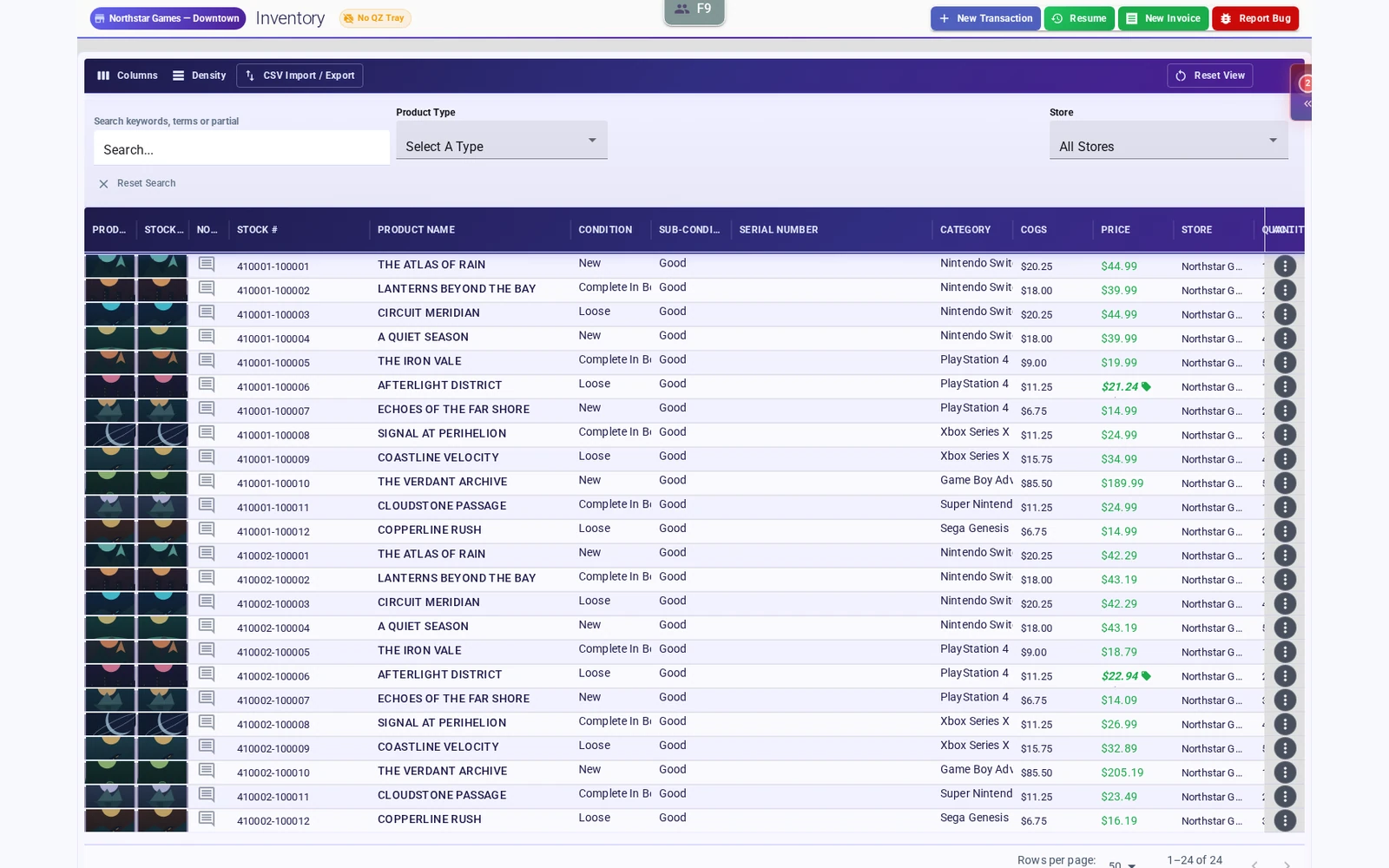
Online
Shopify integration
Connect your physical-store operation with Shopify. Review catalog, stock and online-order workflows against your store’s needs during setup.
See the Shopify integration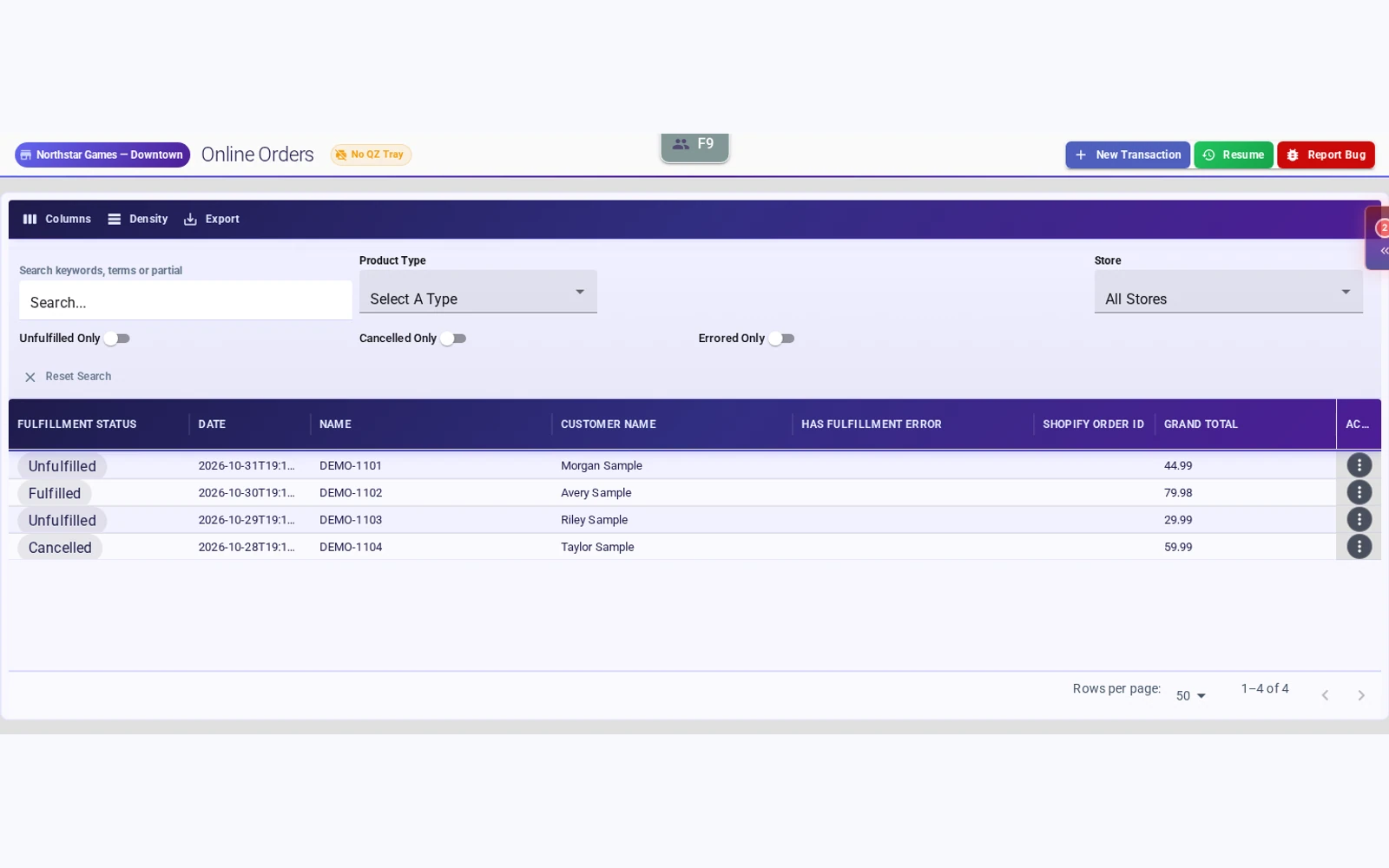
At payment
Square Terminal integration
Connect a Square account and send in-person card payments to a paired Square Terminal from Fulcrum.
Explore Square Terminal integration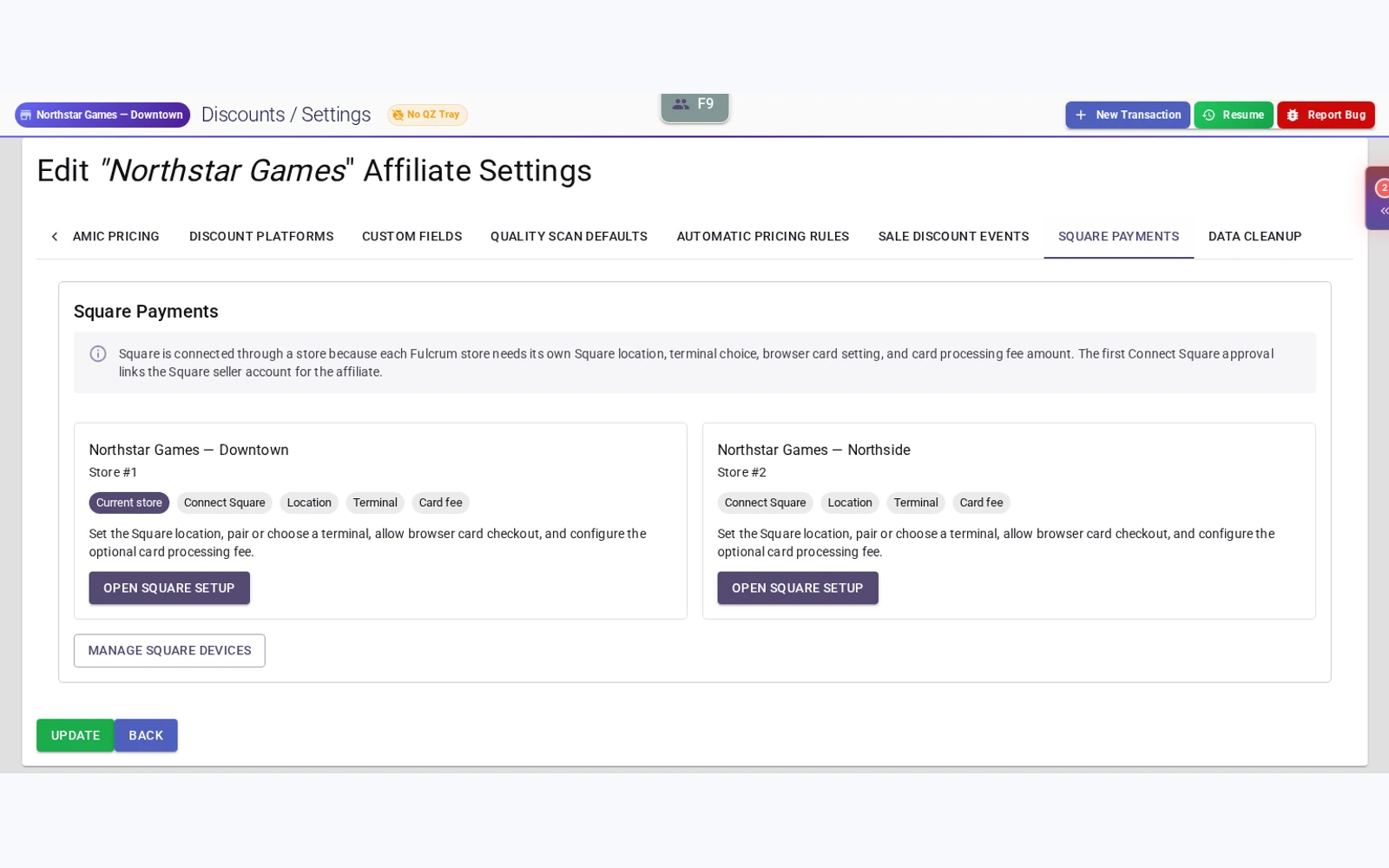
On the repair bench
Repair ticket management
Build repair estimates, record parts and labor, and give each job a ticket your team can follow. Keep service work connected to the customer account.
Explore repair management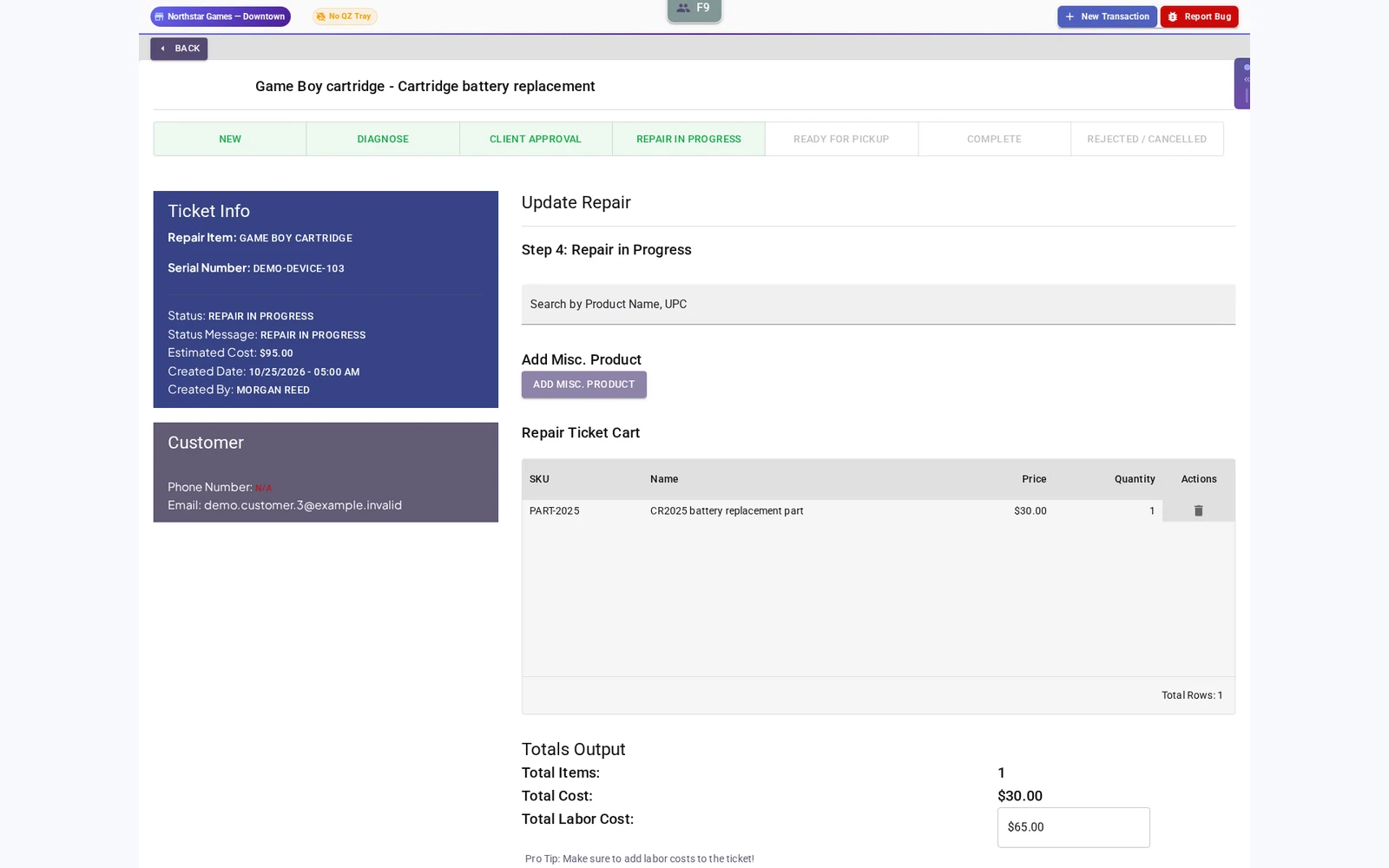
For your regulars
Custom rewards and birthday coupons
Set point thresholds, name your rewards and choose percentage or fixed discounts with minimum purchases. Configure a birthday offer window and keep store credit in the customer account.
Explore loyalty and birthday coupons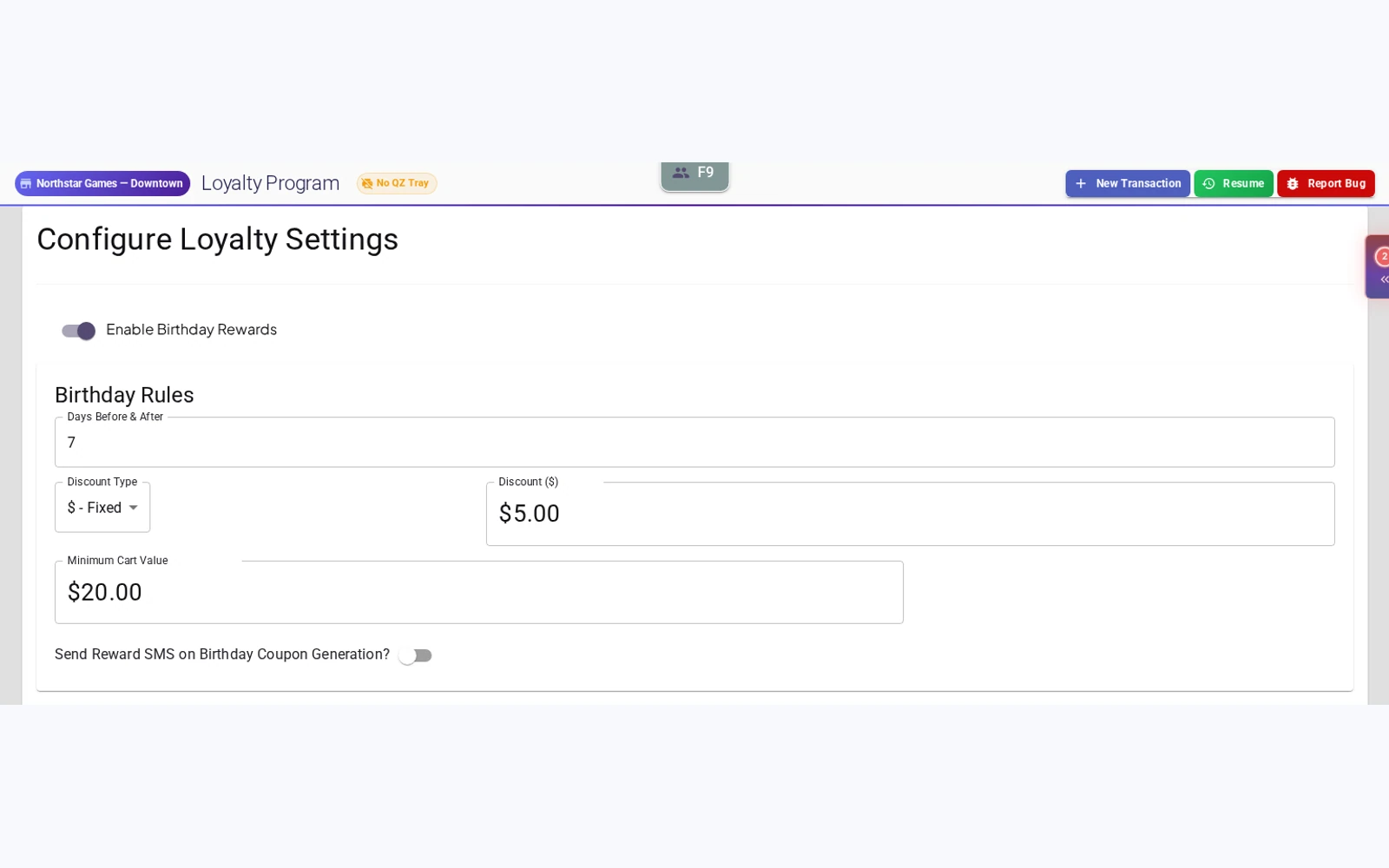
Across the business
Multi-store administration
Work across locations under one organization. Review store inventory, handle transfers and switch your location focus as the day requires.
Explore multi-store administration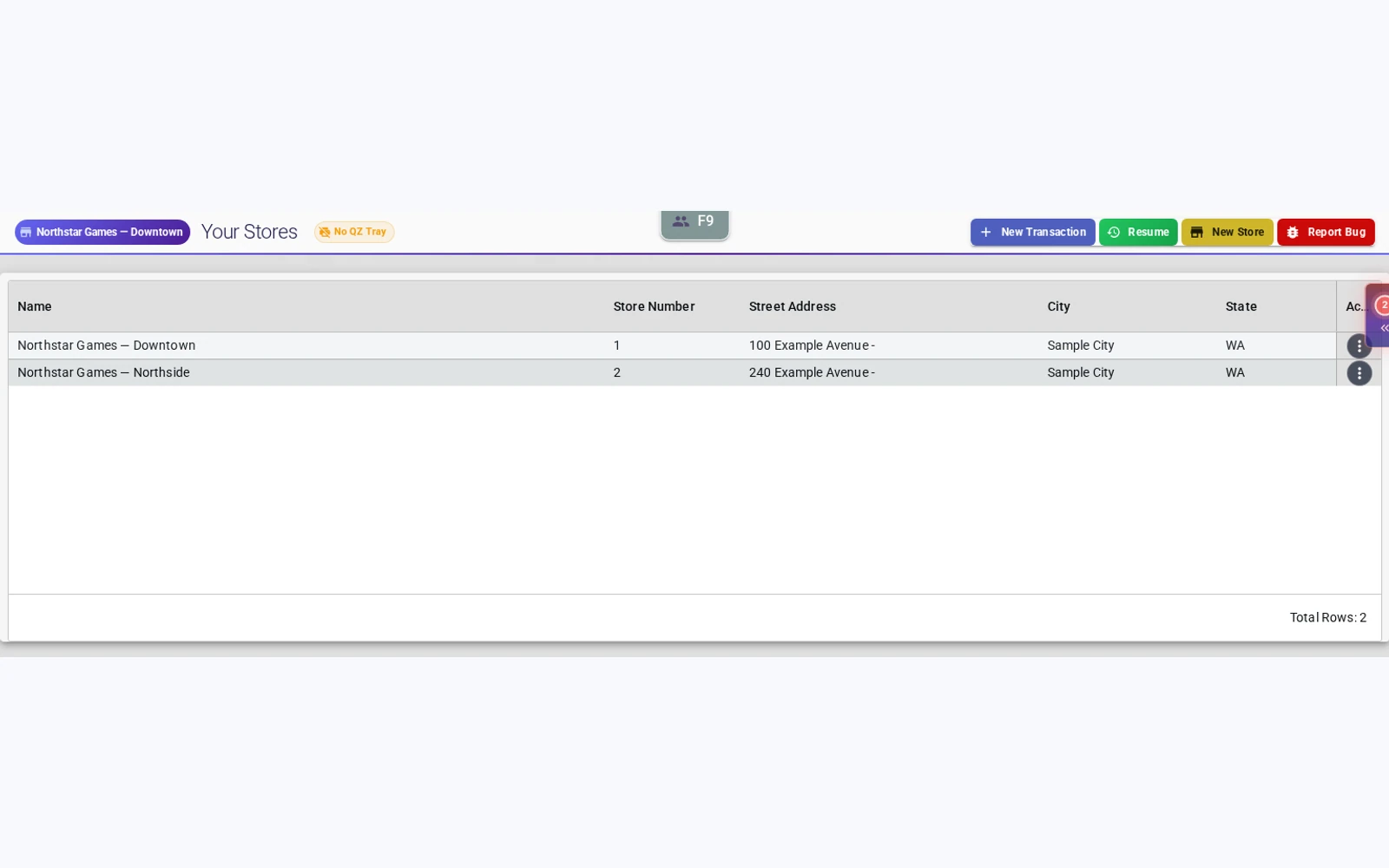
Invoice intake with condition and subquality
Review the incoming product, quantity, cost and selling price. Save the main condition and optional subquality on each intake line so the detail carries into stock on approval.
Explore invoice intake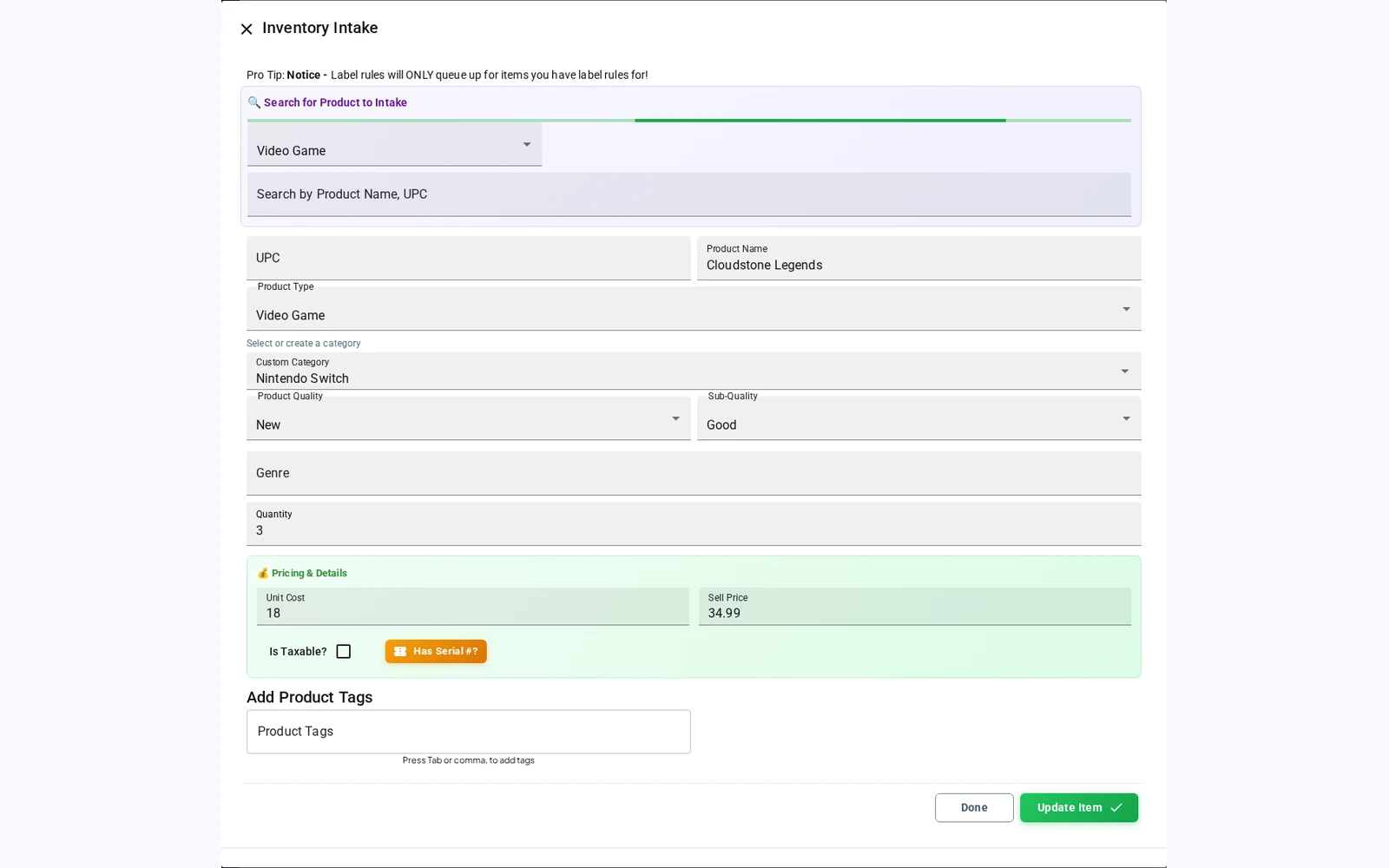
Behind the transaction
Invoice history in view
Find populated invoice records, review supplier and status information, and open the record your team needs.
Explore invoicing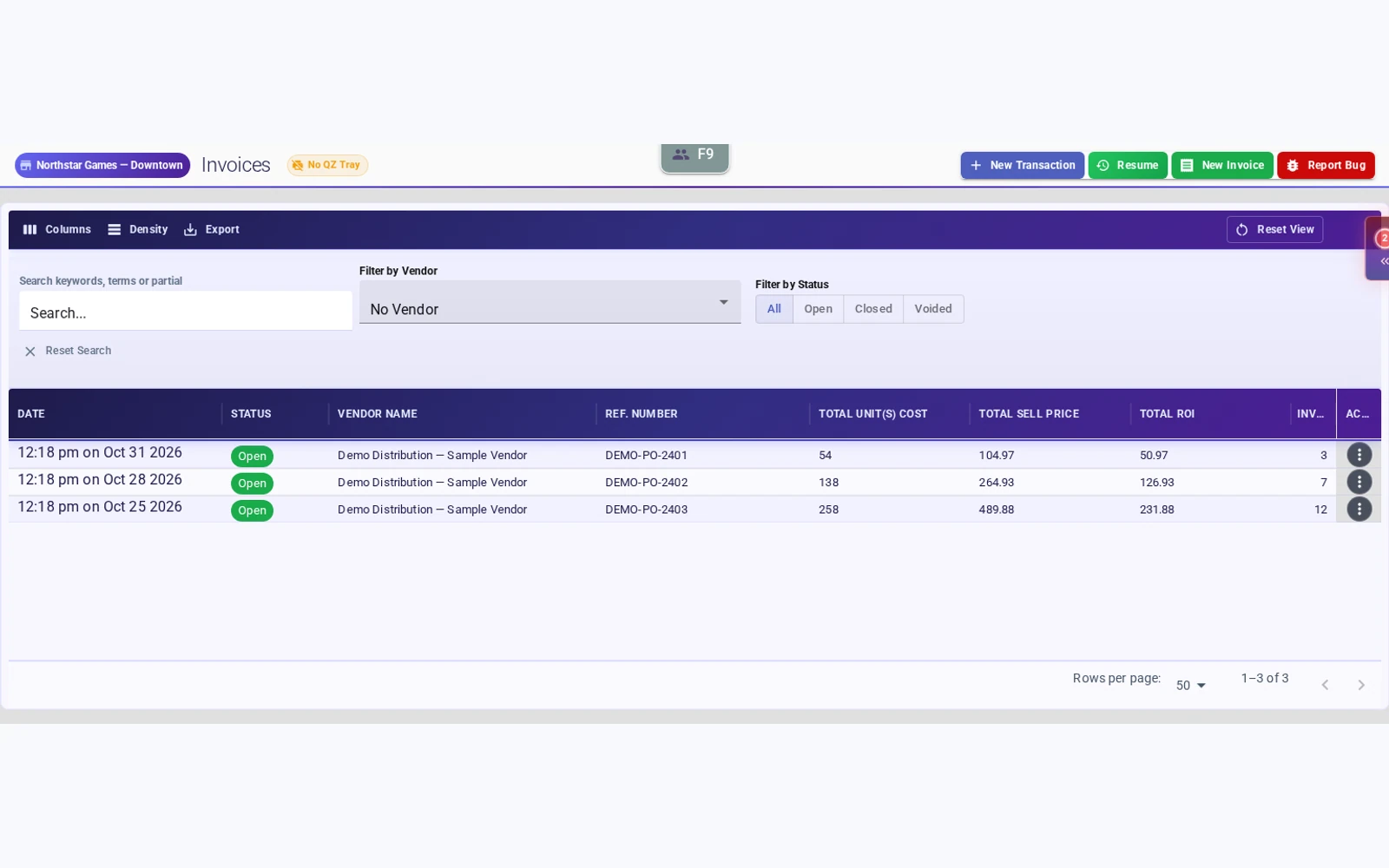
Before the event
Scheduled in-store sales
Set start and end dates for discounts targeted by product type, category, condition or tag. The most specific matching event determines the item discount.
Explore scheduled sales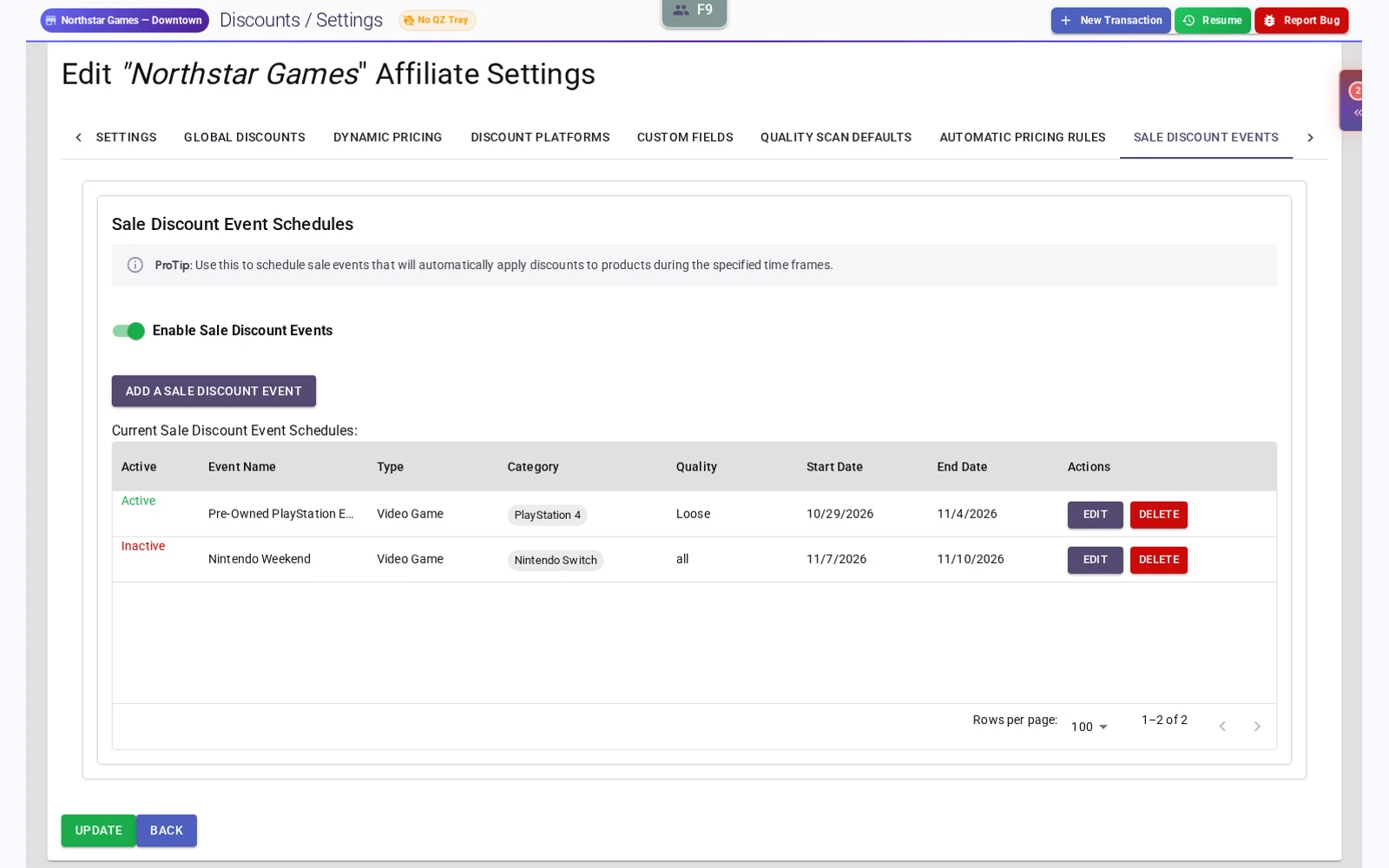
After the conversation
Wishlists and restock notifications
Record customer interest in out-of-stock products. Where SMS is configured, send restock alerts when matching inventory arrives. Notifications do not reserve stock or guarantee delivery.
See wishlists and customer accounts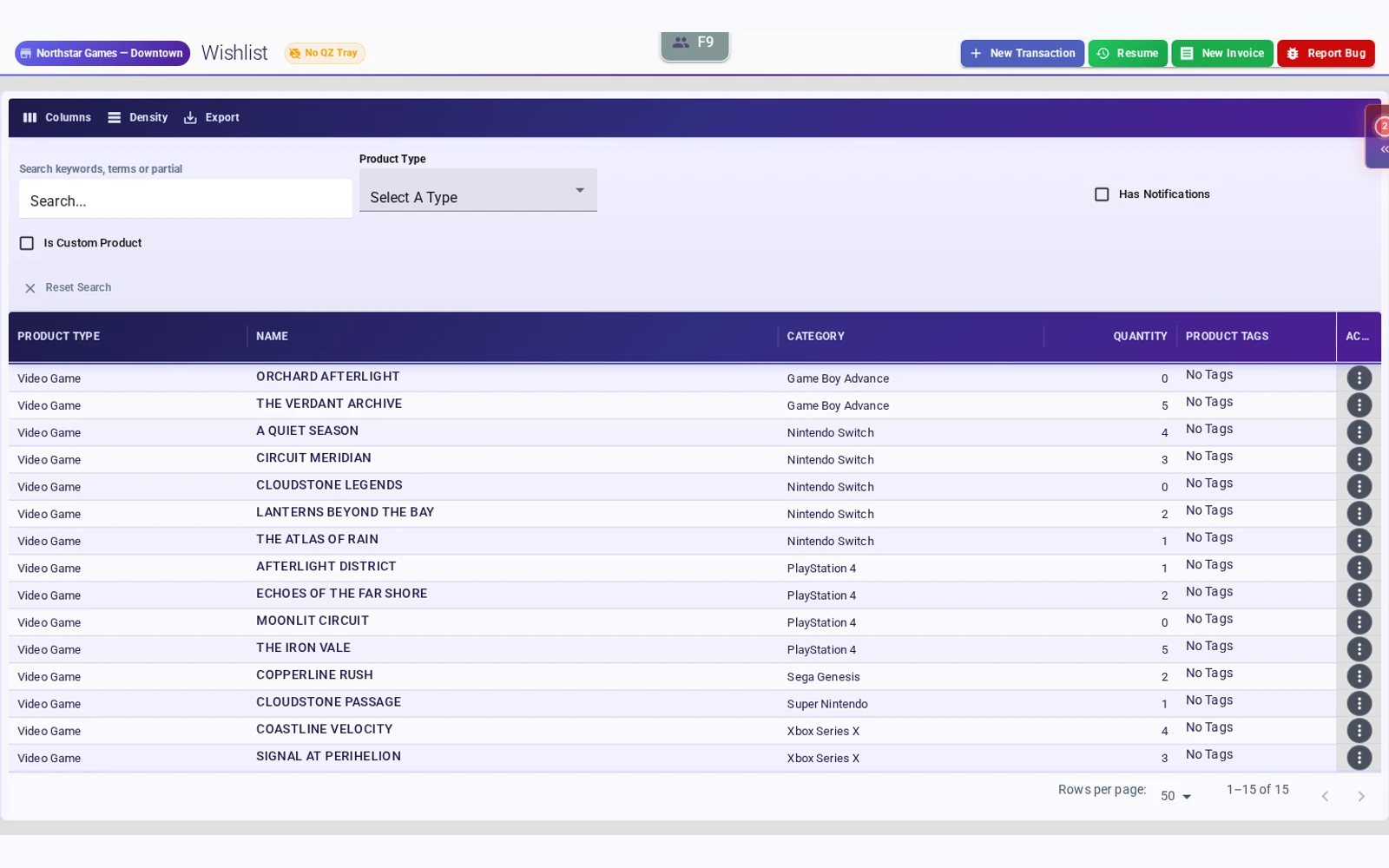
For the next release
Preorders and customer history
Review preorders and repair tickets from the customer profile. Search past transactions by product name, SKU or UPC to find the details behind a customer’s visit.
See customer workflows in a demo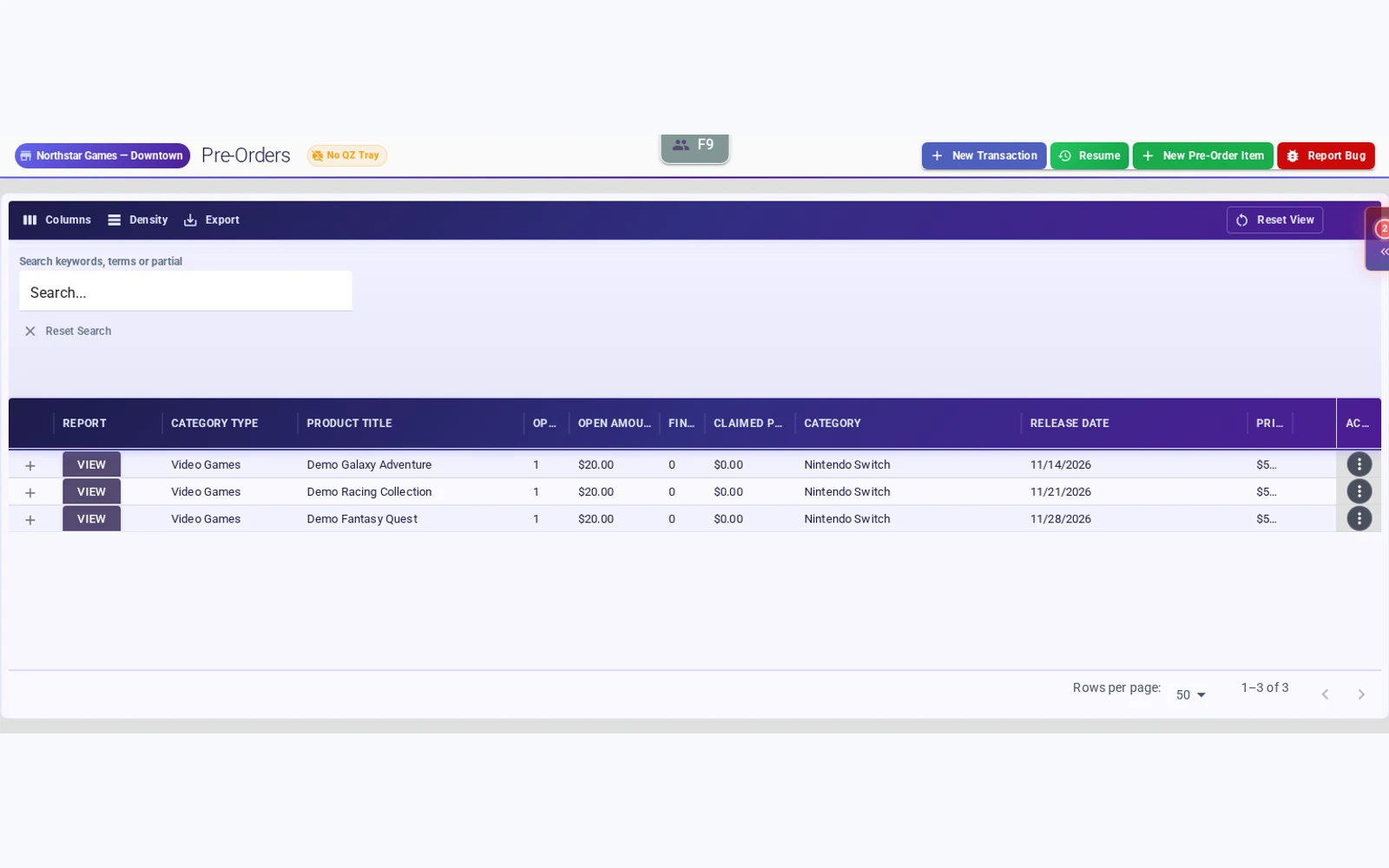
Included in your subscription
Shopify and Square Terminal integrations, included.
Plan your setup around the tools your store needs. Fulcrum includes both integrations and free migration support. Square processing fees and hardware costs may apply.
Make the switch reviewable before the counter changes.
We start with your current system, available exports and the records your store needs. Confirm the import scope, label compatibility, balances and cutover plan together.
Explore free migration supportSee Fulcrum at your counter
Bring the workflows that matter to your store. Test a realistic sale and trade scenario in a Fulcrum demo.
Plan your store demoShow us how your store works.
Bring a tricky trade, an online order or your next-location plan. We will walk through the relevant workflows and explain what your setup needs.
Book a Fulcrum demo